







 Multi-language
 1 PC
1 PC Windows


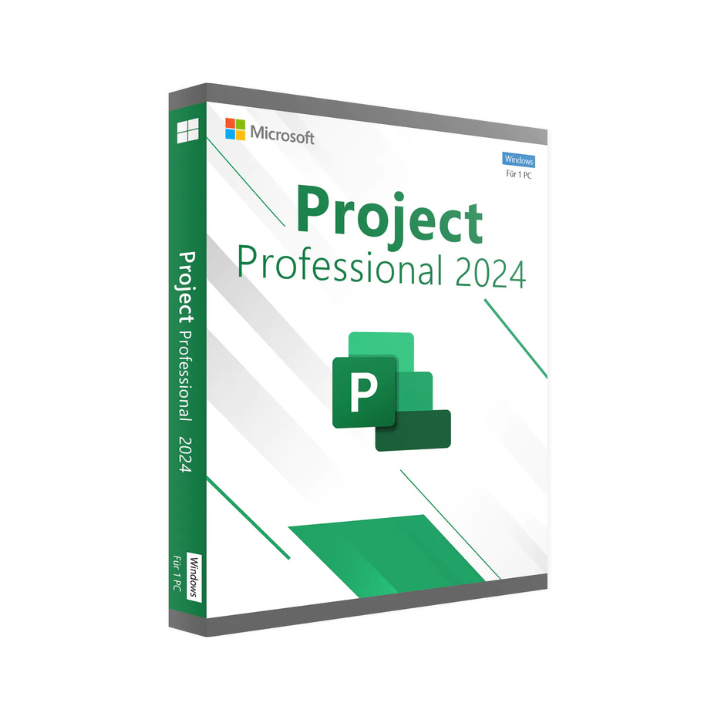
MS Office Project Professional 2024 – Complete Project Management Software for Professionals
Plan, Execute, and Deliver with Confidence Using Microsoft Project 2024
MS Office Project Professional 2024 is the latest version of Microsoft’s industry-leading project management software, designed to help teams and project managers plan, track, and execute complex projects with greater accuracy and efficiency. Whether you’re managing a construction schedule, a product development timeline, or a strategic initiative, Project Professional 2024 provides the structure and tools to streamline your workflow and deliver results on time and within budget.
Built for professional use, this robust platform supports everything from simple task scheduling to enterprise-wide project portfolio management. The 2024 edition introduces performance improvements, updated templates, seamless cloud integration, and an enhanced user interface that aligns with the newest Microsoft 365 apps.
At GraphicLicense, we offer genuine MS Office Project Professional 2024 licenses for individuals, businesses, and institutions, delivered securely with full support and activation assistance.
What Is MS Office Project Professional 2024?
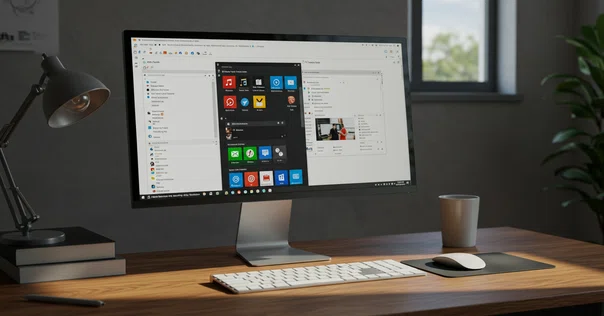
Microsoft Project Professional 2024 is a powerful project management tool developed by Microsoft, offering a comprehensive set of features to support resource planning, scheduling, budgeting, progress tracking, risk analysis, and team collaboration.
As part of the broader Microsoft Office ecosystem, Project Professional integrates with tools like Excel, Teams, Power BI, SharePoint, and Outlook, providing a unified experience across departments and teams.
This version is ideal for project managers, PMOs (Project Management Offices), IT teams, engineers, consultants, and professionals who require detailed oversight of time, cost, and scope.
ms office project professional 2024
Key Features of Project Professional 2024
1. Improved Gantt Chart View
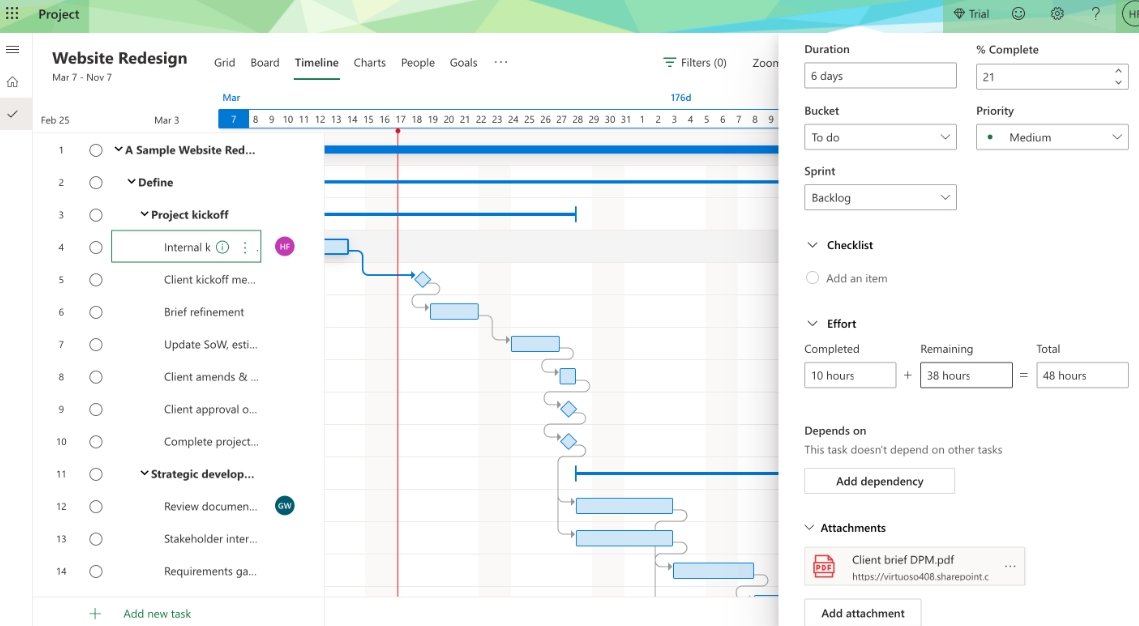
The core of Project remains its customizable Gantt chart. In 2024, enhancements to the layout and interaction features allow for faster updates, clearer task visualization, and easier milestone tracking.
2. Smart Scheduling Tools
Automatically adjust task timelines based on resource availability and dependencies. Easily detect scheduling conflicts and apply constraints to maintain critical paths.
3. Advanced Resource Management
Assign and level human and material resources across multiple projects. View workloads, resolve overallocations, and balance team capacity.
4. Timeline (Roadmap) View
Visualize project phases across multiple streams with the updated Timeline View, now more interactive and customizable, helping teams track high-level progress.
5. Integrated Collaboration
Syncs with Microsoft Teams, enabling project discussions, file sharing, and real-time updates without leaving the Project interface. Team members can view and comment on tasks using familiar tools.
6. Multiple Project Management
Manage several projects in a consolidated dashboard. Use master projects and sub-projects to control large-scale initiatives.
7. Portfolio Reporting
Generate pre-built and custom reports with graphical summaries of cost, progress, risk, and resource data. Compatible with Power BI for interactive dashboards.
8. Custom Fields and Rules
Add fields specific to your organization’s workflow. Apply formulas, flags, and conditional formatting to monitor project health.
New in Microsoft Project Professional 2024
Microsoft continues to enhance usability and cloud functionality in Project 2024:
-
Faster Performance on large files and resource-heavy schedules
-
Improved integration with OneDrive and SharePoint for file management
-
AI-Enhanced Suggestions for task dependencies and schedule optimization
-
Updated Interface consistent with other Office 2024 applications
-
Accessibility Improvements for screen readers, keyboard navigation, and high-contrast views
-
Enhanced Reporting Templates for executive summaries and status updates
These updates make Project 2024 more capable of supporting agile, hybrid, and traditional project methodologies.
Compatibility and Integration
MS Office Project Professional 2024 works seamlessly with other Microsoft products:
-
Microsoft Teams – Collaborate and discuss tasks in real time
-
Outlook – Sync calendar items and task reminders
-
Excel – Import/export data for analysis and reporting
-
PowerPoint – Create presentations using project timelines
-
SharePoint – Manage permissions and host documents
-
OneDrive – Store and share files in the cloud
-
Power BI – Build custom dashboards from Project data
Integration reduces redundant tasks and improves data flow across your business tools.
ms office project professional 2024
Who Should Use MS Project Professional 2024?
Project Professional 2024 is designed for:
-
Project Managers handling complex timelines and resources
-
Construction & Engineering Firms managing multiple job sites and teams
-
IT Departments tracking sprints, deliverables, and testing cycles
-
Consulting Firms managing client timelines and billing
-
Marketing Teams coordinating multi-phase campaigns
-
Operations Leaders overseeing process improvement initiatives
-
Government Agencies tracking grant-funded and public infrastructure projects
-
Education Institutions planning academic programs and facility expansions
Whether you manage one project or oversee dozens across departments, Project 2024 is built to support enterprise-grade planning and execution.
System Requirements
Windows:
-
Operating System: Windows 10 or 11 (64-bit)
-
Processor: 1.6 GHz or faster, dual-core
-
Memory: 4 GB RAM (8 GB recommended)
-
Storage: 4 GB available disk space
-
Display: 1280×768 resolution
-
Graphics: DirectX 10-compatible
-
Other: Internet connection for activation and updates
Note: Project Professional 2024 is not available for macOS. Mac users can access Project for the Web via Microsoft 365.
Licensing Options
At GraphicLicense, we provide flexible purchasing models:
1. Perpetual License (One-Time Purchase)
Ideal for users who prefer to own the software outright. Includes lifetime access to Project Professional 2024 on one device.
2. Volume Licensing
Suitable for organizations needing multiple installations. Includes central deployment, management tools, and support.
3. Academic and Government Pricing
Discounted rates for qualifying institutions and public sector organizations.
Each license includes:
-
Genuine activation key
-
Immediate digital delivery
-
Official installation files
-
Lifetime activation (perpetual license)
-
Technical support from GraphicLicense
How to Buy and Activate
Purchasing your MS Office Project Professional 2024 license through GraphicLicense is fast and secure:
-
Choose your desired license type (individual, volume, or enterprise)
-
Complete checkout securely
-
Receive your product key and download link via email
-
Install Project Professional 2024 on your Windows PC
-
Activate using the key in minutes
-
Start planning and managing your projects immediately
We also provide setup assistance for installations across multiple machines or within remote environments.
ms office project professional 2024
Why Buy from GraphicLicense?
-
Verified Microsoft Partner
-
100% genuine license keys
-
Instant digital delivery
-
Competitive pricing with bulk discounts
-
Email and chat-based support
-
Invoicing for business compliance
-
Experience serving businesses, NGOs, schools, and government offices worldwide
Our licensing experts will help you choose the right plan and ensure seamless activation and compliance.
Conclusion
MS Office Project Professional 2024 offers everything you need to manage professional projects of any size, across any industry. With enhanced tools for scheduling, resource allocation, collaboration, and reporting, it empowers teams to deliver consistent results on time and within scope.
Whether you’re a seasoned project manager or building your first work breakdown structure, Project 2024 provides the functionality and integration you need—packaged in a familiar Microsoft Office environment.
Get your official Microsoft Project Professional 2024 license today from GraphicLicense and take control of your project timelines with confidence.
Get More Cheap Software Licences
ms office project professional 2024 ms office project professional 2024
There are no reviews yet.