







 Multi-language
 1 user – 2 Cores
 Windows
 macOS
macOS  Lifetime


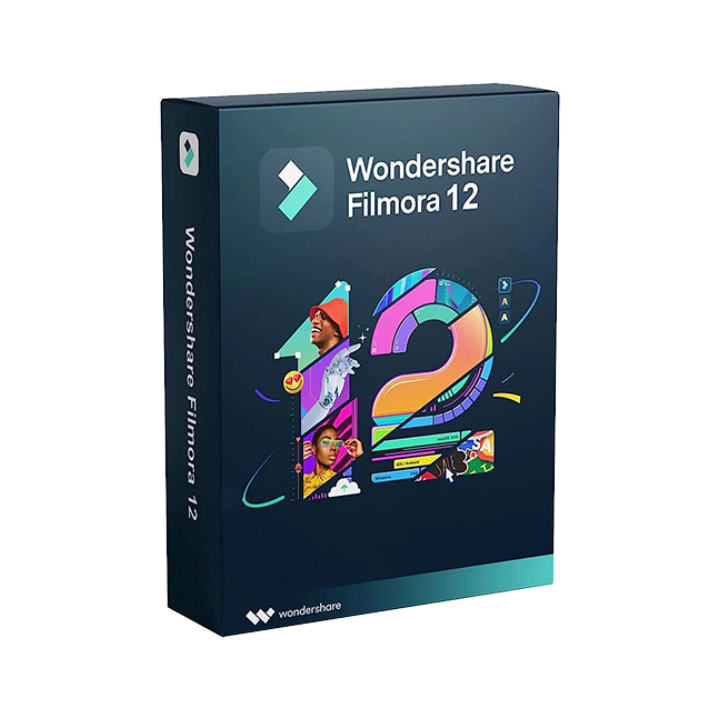
Wondershare Filmora 12 – Creative Video Editing for Everyone
Intuitive, Feature-Rich Editing for Creators of All Levels
Wondershare Filmora 12 is the twelfth major release of the popular video editing software designed for creators, marketers, educators, and everyday users who want to make professional-looking videos without a steep learning curve. Whether you’re editing YouTube videos, short films, vlogs, product demos, or educational content, Filmora 12 offers a powerful yet easy-to-use platform that balances advanced features with beginner-friendly design.
With improved performance, a redesigned interface, and a host of creative tools, Filmora 12 empowers users to bring their video ideas to life faster and more efficiently. From drag-and-drop editing to built-in effects, transitions, and audio tools, it is an all-in-one solution for high-quality video production on both Windows and macOS.
What’s New in Wondershare Filmora 12?
Filmora 12 introduced several enhancements over previous versions, making it more powerful, flexible, and user-centric.
1. Revamped User Interface
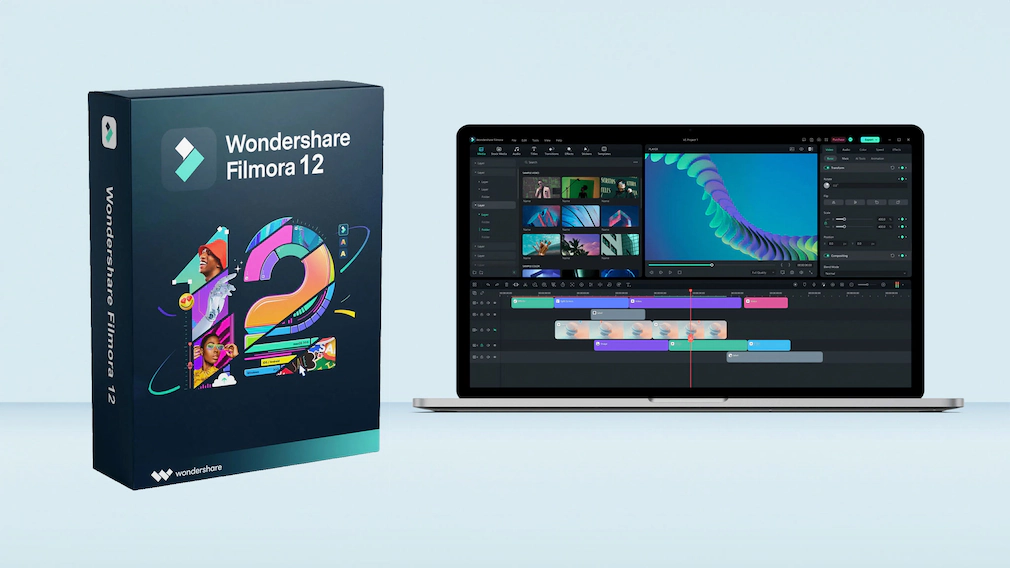
The UI has been completely restructured for easier access to tools, better organization of timelines and assets, and smoother performance across high-resolution displays. Customizable workspaces now support editing workflows for different experience levels.
2. Improved Keyframing
Keyframe animation now includes more parameters such as scale, position, opacity, and rotation—offering precise control over object and text motion.
3. AI Smart Cutout
Use AI to automatically remove backgrounds from videos or isolate subjects without using a green screen. Ideal for content creators and marketers producing product or talking-head videos.
4. Draw Mask Tool
Create custom masks using pen-drawn shapes to reveal or hide areas of a video, enabling advanced visual effects and transitions.
5. Enhanced Audio Editing
Filmora 12 features improved audio ducking, audio synchronization, visual waveforms, and multiple audio effects for professional-sounding videos.
6. Instant Mode
This new feature allows users to automatically generate videos from templates with drag-and-drop media input. A time-saver for quick content creation.
7. Integration with Stock Libraries
Filmora 12 comes with built-in access to royalty-free stock video, audio, and image content via integrations with providers like Unsplash, Giphy, and Pixabay.
8. Cloud Collaboration
Users can now store projects in the cloud, access them across devices, and share them with collaborators securely.
Key Features of Filmora 12
Wondershare Filmora 12 includes a broad range of creative and technical features suited for different video editing needs.
Video Editing
-
Drag-and-drop timeline editing
-
Cut, split, trim, and merge clips
-
Advanced color correction and grading
-
Speed ramping and motion tracking
-
Green screen (chroma key) support
-
Split screen and picture-in-picture modes
-
Stabilization for shaky footage
-
Custom transitions and overlays
Audio Tools
-
Built-in audio equalizer
-
Background noise removal
-
Voiceover recording
-
Audio synchronization
-
Sound effects library
-
Royalty-free music integration
Text & Titles
-
Fully customizable animated titles
-
Subtitles and closed captions
-
Text-to-speech and speech-to-text
-
Preset text animations and lower thirds
Effects & Elements
-
Over 900 built-in effects, filters, and transitions
-
LUTs (Lookup Tables) for cinematic color grading
-
Motion elements and animated overlays
-
Templates for intros, outros, and social content
Export & Sharing
-
Export in up to 4K resolution
-
Adjustable frame rates and codecs
-
Direct sharing to YouTube, Vimeo, and social platforms
-
DVD burning and local storage options
-
Optimized export presets for mobile devices
System Requirements
Windows:
-
OS: Windows 7 (64-bit) or later
-
Processor: Intel i3 or better (multi-core recommended)
-
RAM: 8 GB minimum (16 GB for HD/4K editing)
-
GPU: Intel HD Graphics 5000 or better; discrete GPU recommended
-
Storage: 10 GB free space
macOS:
-
OS: macOS 10.14 (Mojave) or later
-
Processor: Intel or Apple Silicon (M1, M2, M3)
-
RAM: 8 GB minimum
-
Storage: 10 GB or more
-
Graphics: Supports Metal GPU acceleration
Filmora 12 is optimized for Apple Silicon, providing smoother editing and faster rendering on M-series Macs.
Who Is Wondershare Filmora 12 For?
Filmora 12 caters to a wide audience including:
-
YouTubers and vloggers seeking a quick editing workflow
-
Marketing teams creating brand videos and social content
-
Educators and trainers preparing video lectures and tutorials
-
Freelancers and small business owners making promotional videos
-
Students learning the basics of editing
-
Professionals who want an affordable alternative to complex NLEs like Adobe Premiere Pro or Final Cut Pro
Its combination of simplicity and power makes it an excellent choice for users at all skill levels.

Licensing and Activation
Filmora 12 is available as:
-
Free Version: Includes basic tools and watermarked exports
-
Perpetual License: One-time purchase for lifetime access to a specific version
-
Annual Plan: Subscription with ongoing updates, effects packs, and tech support
-
Team Licenses: Multi-seat options for businesses and educational institutions
Purchasing through GraphicLicense ensures:
-
100% official activation key
-
Secure digital delivery
-
Expert installation support
-
Volume and academic discounts
-
Legal compliance for commercial use
How to Activate Filmora 12
-
Purchase your Wondershare Filmora 12 license key from GraphicLicense
-
Download Filmora 12 from the official Wondershare website
-
Open the application and go to Help > Activate
-
Enter your license key and click Register
-
Your software will be unlocked with full features
Activation typically takes less than two minutes and ensures access to updates and support.
Filmora 12 vs. Other Video Editors
| Feature | Filmora 12 | Premiere Pro | iMovie |
|---|---|---|---|
| One-time License Option | ✔ Yes | ✘ No | ✔ Free (limited) |
| Ease of Use | ✔ Beginner-friendly | ✘ Steep learning | ✔ Very easy |
| 4K Support | ✔ Yes | ✔ Yes | ✔ Limited |
| Keyframe Animation | ✔ Enhanced | ✔ Yes | ✘ No |
| AI Cutout & Auto Sync | ✔ Built-in | ✘ Plugin-based | ✘ No |
| OS Compatibility | Windows, macOS | Windows, macOS | macOS only |
| Built-in Effects & Music | ✔ 900+ items | ✘ Few default | ✔ Basic |
Filmora 12 offers a balanced editing environment with enough features for serious creators while remaining accessible to non-professionals.
Why Buy Filmora 12 from GraphicLicense?
-
Official Wondershare partner
-
Instant license key delivery
-
Multi-license options for businesses and classrooms
-
Expert advice on compatibility and setup
-
Competitive pricing with no hidden fees
-
Support for activation, export, and usage questions
We help creators, educators, and professionals find the best software for their workflow, with verified licenses and responsive service.
Conclusion
Wondershare Filmora 12 is a comprehensive, easy-to-use video editor designed for creators who want high-quality output without the complexity of professional NLE systems. With its enhanced UI, AI-powered features, and broad creative toolkit, it stands as one of the best solutions for content creators in 2023 and beyond.
Whether you’re new to editing or managing regular content production, Filmora 12 delivers the tools you need to create, polish, and share videos with speed and style.
Buy your Wondershare Filmora 12 license today from GraphicLicense and elevate your video storytelling.



There are no reviews yet.