







 Multi-language
 1 user
  macOS
macOS Lifetime


Wondershare PDFelement for Mac – Powerful PDF Editing Designed for macOS
The Ultimate PDF Solution for Mac Users
Wondershare PDFelement for Mac is a powerful, all-in-one PDF editor built specifically for macOS users who need a reliable, professional-grade tool for handling all types of PDF tasks. Whether you’re editing text, converting documents, filling out forms, or applying digital signatures, PDFelement delivers speed, accuracy, and an intuitive interface that feels right at home on a Mac.
From individual professionals to educational institutions and business teams, PDFelement for Mac offers a seamless document workflow with extensive functionality—without the complexity or high cost of traditional enterprise software.
Available as a one-time purchase or subscription, it gives you full control over your PDF content with tools comparable to Adobe Acrobat, but in a more user-friendly and affordable package.
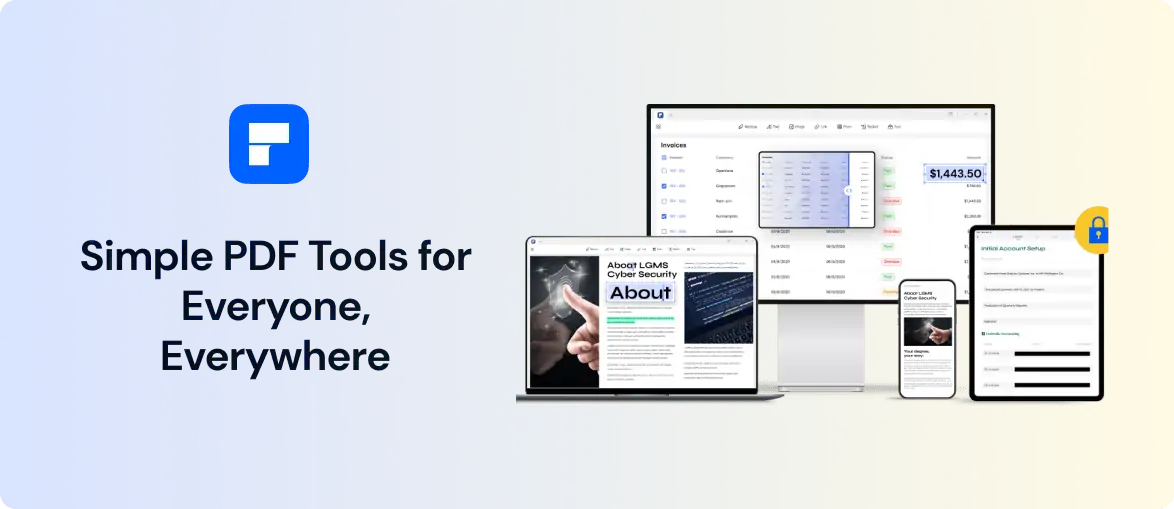
What Is Wondershare PDFelement for Mac?
Wondershare PDFelement for Mac is a desktop application that provides advanced PDF editing, creation, annotation, conversion, and form management tools. It is built from the ground up to support macOS Ventura, Monterey, and the latest Apple Silicon processors (M1, M2, and M3), ensuring smooth performance and full system compatibility.
It allows users to open, read, modify, and save PDF documents with features including:
-
Full text editing (fonts, formatting, alignment)
-
Image and object editing
-
OCR (Optical Character Recognition) for scanned PDFs
-
File conversion to and from formats like Word, Excel, PowerPoint, EPUB, and HTML
-
PDF form creation and field recognition
-
Batch processing of multiple files
-
Password protection, redaction, and encryption
-
Electronic signatures and certification
-
Real-time collaboration and commenting
-
PDF optimization and size reduction
PDFelement bridges the gap between consumer tools and enterprise document software—offering robust capabilities in a highly accessible format.
Key Features of PDFelement for Mac
1. Advanced PDF Editing
Edit text, images, headers, footers, watermarks, and page elements in any PDF. The intuitive editing interface allows you to modify documents as easily as in a word processor.
2. OCR Technology
Convert scanned PDF files into fully editable and searchable documents using the built-in OCR engine. Supports over 20 languages for global use.
3. Batch PDF Conversion
Convert multiple PDF files into other formats simultaneously, saving time and effort. Supported output formats include Microsoft Office files, images, RTF, EPUB, and more.
4. Smart Form Handling
Create interactive forms from scratch or automatically recognize and convert flat forms into fillable fields. Supports text fields, checkboxes, radio buttons, and dropdowns.
5. Annotations and Comments
Highlight text, insert notes, draw shapes, and add stamps to collaborate with team members or provide feedback on documents.
6. Secure PDFs
Protect sensitive information using password encryption, redaction tools, and digital signatures. PDFelement supports 256-bit AES encryption and permissions management.
7. Cloud Integration
Save and sync files with cloud storage platforms like Dropbox, Google Drive, and OneDrive for secure document management across devices.
8. Apple Silicon Optimized
Designed to run natively on Apple M1, M2, and M3 chips for enhanced speed, reduced battery consumption, and faster document processing.
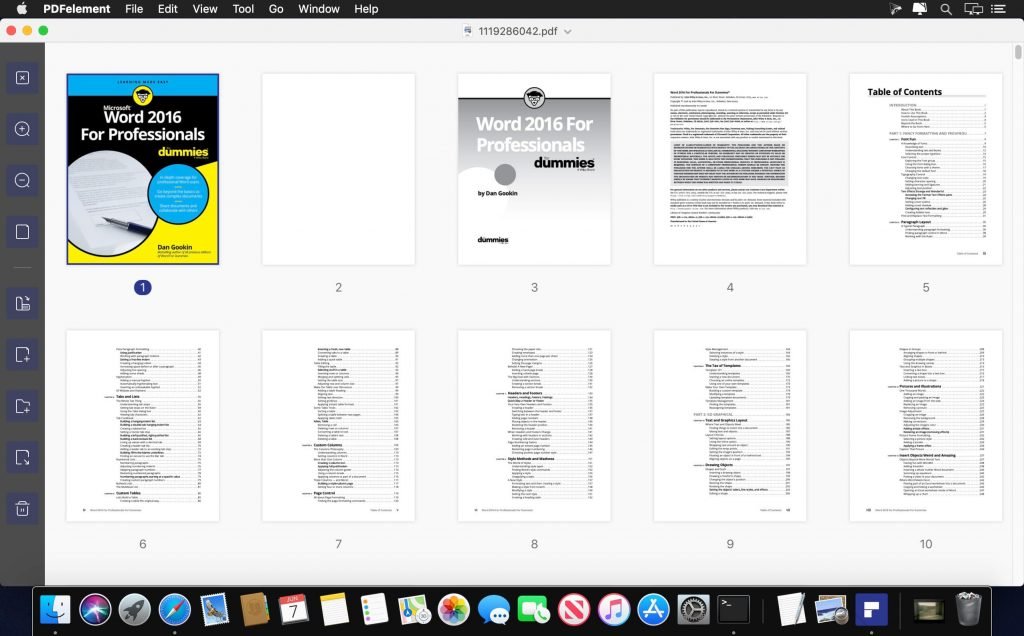
Seamless macOS Experience
PDFelement for Mac integrates naturally with macOS, offering features like:
-
Support for full-screen and split view
-
Drag-and-drop document management
-
Retina display optimization for high-resolution visuals
-
Integration with macOS system fonts and Dark Mode
-
Smooth multitouch gestures and trackpad navigation
-
Compatibility with Preview and Quick Look file extensions
It feels like a native Mac app—not a Windows port—giving users a consistent and efficient experience across their Apple devices.
Ideal Use Cases
Wondershare PDFelement for Mac serves a wide range of professionals and industries:
-
Business professionals managing contracts, reports, and internal communications
-
Legal teams reviewing case files, redacting confidential data, and adding e-signatures
-
Educators and students creating coursework, commenting on research papers, and organizing class materials
-
Finance teams filling out and sharing forms, processing invoices, and securing sensitive data
-
Government and non-profits handling compliance documentation and digital archiving
-
Freelancers and creatives needing a lightweight yet powerful PDF tool for client interactions and submissions
Its versatility makes it suitable for both everyday document tasks and complex workflow management.
PDFelement vs. Adobe Acrobat on Mac
| Feature | PDFelement for Mac | Adobe Acrobat Pro for Mac |
|---|---|---|
| One-time Purchase Option | ✔ Available | ✘ Subscription only |
| OCR Functionality | ✔ Yes | ✔ Yes |
| Apple Silicon Optimization | ✔ Native Support | ✔ Native Support |
| Form Creation | ✔ Yes | ✔ Yes |
| PDF to Office Conversion | ✔ Yes | ✔ Yes |
| Redaction and Security | ✔ Yes | ✔ Yes |
| Price Flexibility | ✔ More Affordable | ✘ Higher cost |
While both offer advanced features, PDFelement provides a more cost-effective solution, especially for users who prefer a traditional licensing model.
Wondershare PDFelement for mac
System Requirements
To install and run PDFelement smoothly on macOS, ensure the following:
Minimum Requirements:
-
macOS Version: macOS 10.14 (Mojave) or later
-
Processor: Intel or Apple Silicon (M1, M2, M3)
-
RAM: 4 GB minimum (8 GB recommended)
-
Storage: 1 GB free disk space for installation
-
Internet: Required for initial activation and updates
The software is continuously updated to support the latest macOS versions and hardware improvements.
Wondershare PDFelement for mac
How to Get Started
Getting started with Wondershare PDFelement for Mac is simple:
-
Visit GraphicLicense and select the version of PDFelement for Mac that suits your needs
-
Complete your purchase securely
-
Receive your download link and official license key
-
Install the software on your Mac
-
Enter the license key to activate full features
-
Start creating, editing, and managing PDFs right away
We provide full documentation, step-by-step activation guides, and support for installation or troubleshooting.
Licensing Options
We offer flexible licensing plans for individuals, businesses, and institutions:
-
Individual License: For personal or single-user professional use
-
Team License: For small teams and collaborative workspaces
-
Business License: With volume deployment, centralized management, and premium support
-
Educational License: Discounted rates for students, educators, and schools
-
Perpetual and Subscription Plans: Choose between one-time payment or annual renewals depending on your workflow
Each license includes customer support and access to software updates for the current version.
Wondershare PDFelement for mac
Why Buy from GraphicLicense?
At GraphicLicense, we deliver:
-
100% genuine licenses with secure digital delivery
-
Instant access to downloads and activation keys
-
Expert support for installation and usage
-
Flexible pricing for single users or bulk purchases
-
Clear documentation for Mac-specific setup
-
Legal and compliant licensing for individuals, businesses, and institutions
We help users across industries equip their macOS systems with verified, effective software solutions for document management.
Conclusion
Wondershare PDFelement for Mac is a powerful, user-friendly alternative to traditional PDF editors, giving macOS users complete control over their document workflows. From editing and converting PDFs to securing and sharing them, PDFelement combines functionality, speed, and affordability in one package.
Whether you’re handling business contracts, class assignments, or complex forms, PDFelement ensures that your PDFs are managed professionally and efficiently on your Mac.
Purchase your PDFelement for Mac license today from GraphicLicense and take full command of your PDF documents—without the complexity or high costs.





There are no reviews yet.